
One account, one proxy
We recommend a separate proxy for each TikTok account — each stays in its own network environment, so accounts are less likely to be flagged as linked. No proxy yet? This guide shows where to buy one and how to plug it into the app — about a minute end to end.
Where to buy — we recommend ROLA IP
This is the provider we use ourselves and recommend to you. ROLA IP has many product lines — the one this guide covers is the static residential IP: one account keeps a fixed exit for the long term. Pick a country, pay, and the proxy address is ready in about a minute.
- One IP, one account — dedicated, nobody else uses it during your subscription.
- 190+ countries and regions — buy the IP in the country your TikTok account belongs to.
- Billed per IP, unlimited traffic during the validity period — both HTTP(S) and SOCKS5 work. Rotating residential is billed by the GB.
- Pay with a credit card (Visa / Mastercard), PayPal, USDT or Alipay — your proxy address is ready right after payment.

Pick a static residential IP on ROLA IP
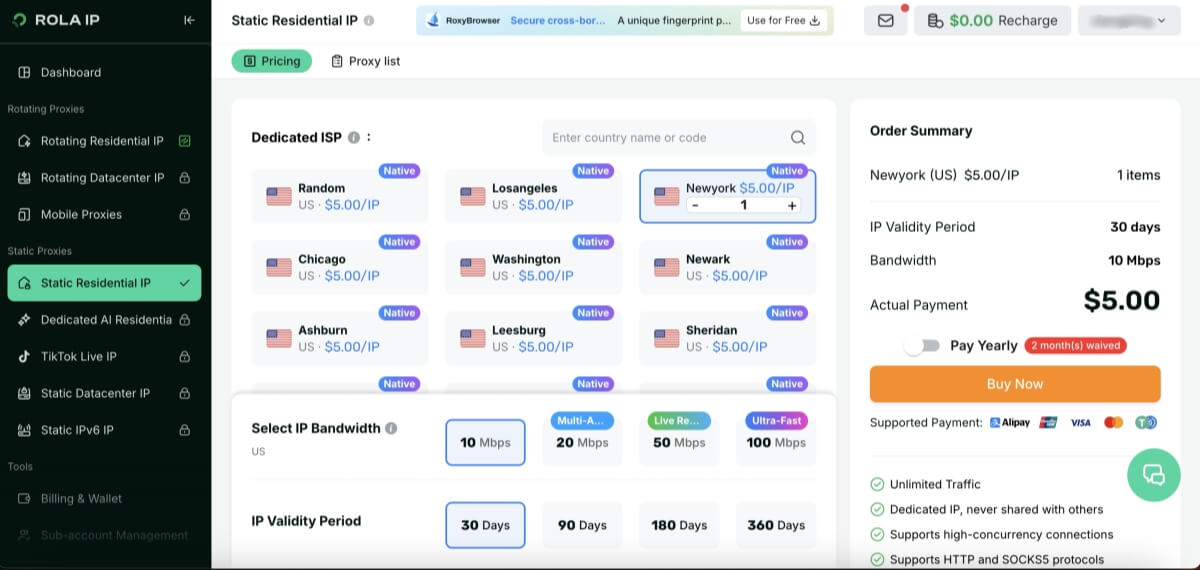
On ROLA IP, open Static Residential IP under Static Proxies. Choose the country your TikTok account belongs to, then press Buy Now and pay.
- Pick a country — e.g. NewYork / Los Angeles / Chicago.
- Choose the IP bandwidth — 10 Mbps is enough for most accounts.
- Choose how long the IP should stay valid.
Copy your proxy address
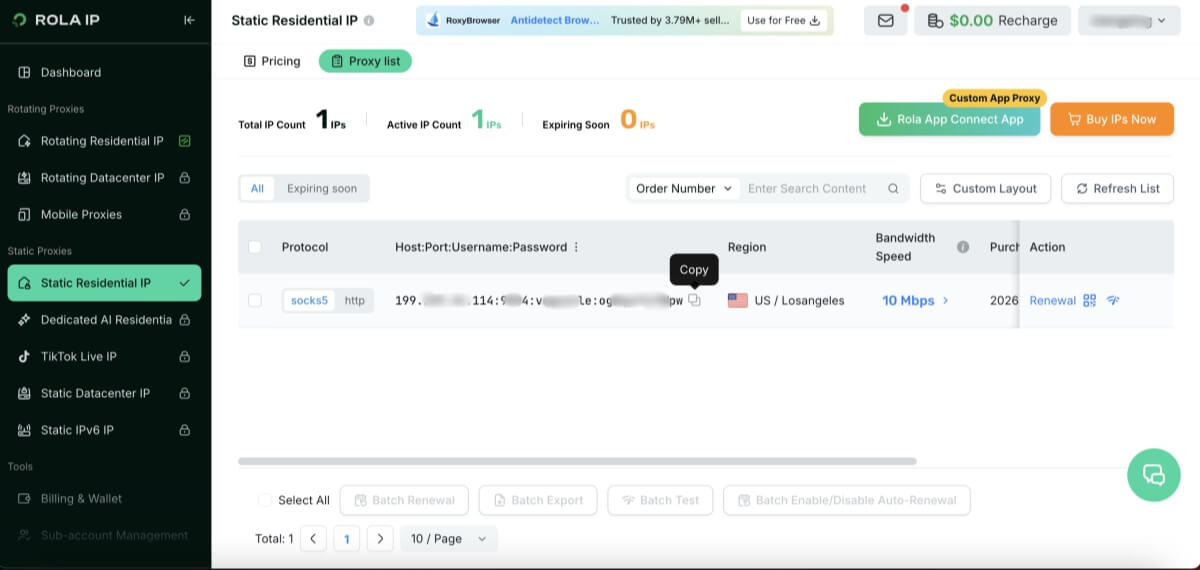
After payment, open Proxy list. Your proxy is one row: Host : Port : Username : Password. Tap the copy icon at the end of the row.
- It copies host:port:username:password — the format ReplyTok reads.
- The address is on your clipboard now — you can close this page and switch back to ReplyTok.
Paste, Extract, Save
Back in ReplyTok's Set proxy sheet, long-press the Proxy link field and paste, then tap Extract. Host, port, username and password fill in by themselves.
- Paste the copied address into the link field.
- Tap Extract — the four fields fill in automatically.
- Tap Test, then Save. The account now runs on its own IP.
June's Candles
@madebyjune · US
194.156.98.204
Slow Sunday 🕯️
@slowsunday · UK
94.103.87.152
Quiet Saturday
@quiet.saturday · US
June & Co.
@juneandco · AU
Set proxy
@madebyjune only
Protocol
Accepts http://user:pass@host:port, or host:port:user:pass
ReplyTok · Set proxy sheet · paste → Extract → Test → Save
Before you buy
Before you buy, get these three straight: what to buy, what you can paste, and what to check when the test fails.
Which proxy should I buy?
A static residential or ISP proxy with username + password auth. HTTP, HTTPS and SOCKS5 all work. Give each account its own dedicated IP to reduce the risk of being flagged as linked.
What can I paste?
host:port:user:password or http://user:pass@host:port — both work. Extract fills the four fields for you.
The test failed
Usually the username or password is wrong, the proxy has expired, or the protocol doesn't match (HTTP vs SOCKS5). Copy the address again from the proxy list, check the credentials and the protocol, then Test once more — save it only after it passes.